 English
 عربى
عربى Português
 Español
Desktop Water Dispensers: Compact and Convenient Hydration
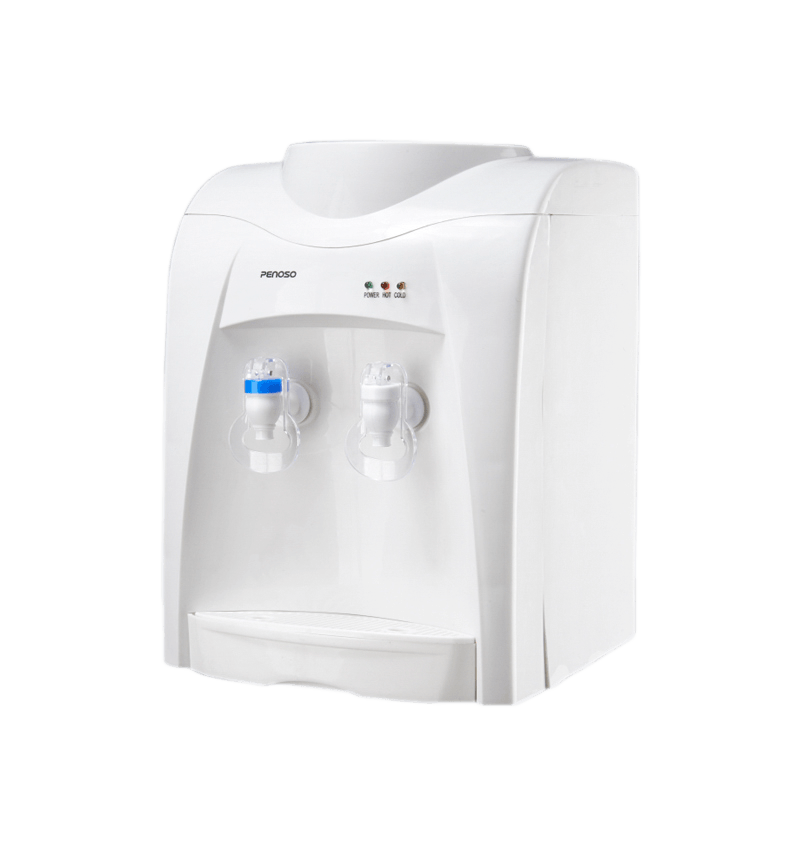
Desktop water dispensers offer a practical, space-saving solution for clean drinking water. Their compact size makes them ideal for homes, offices, dormitories, and small commercial spaces where floor-standing dispensers are impractical.Modern models are equipped with hot, cold, or room temperature water options, energy-efficient operation, and sometimes advanced filtration systems such as activated carbon or UV sterilization. This ensures that users have instant access to safe, fresh water for drinking or preparing beverages.
Key Features of Desktop Water Dispensers
When choosing a desktop water dispenser, understanding its main features can ensure it meets your needs.
Compact Size and Portability
Most desktop dispensers range between 12–18 inches in height and 8–12 inches in width. Lightweight construction allows easy relocation, making them convenient for desks, countertops, and office break rooms.
Temperature Control Options
Many desktop dispensers offer multiple temperature settings. Hot water can reach 85–95°C for tea, coffee, or instant beverages, while cold water is often chilled to 6–10°C. Room temperature water is also available for general hydration needs.
Energy Efficiency
Desktop dispensers consume less energy than traditional floor-standing units. Features like LED indicators, auto shut-off, and eco-modes contribute to energy savings and reduce electricity costs.
Filtration and Water Quality
Some models include multi-stage filters or UV sterilization, capable of removing up to 99.9% of impurities. This ensures clean, safe drinking water without additional bottled water purchases.
Safety and Child Lock Features
Hot water child locks and anti-spill designs are common in modern desktop dispensers, making them safer for homes with children or offices with heavy use.
Types of Desktop Water Dispensers
Desktop water dispensers can be categorized based on water temperature options, filtration features, and design.
| Type | Water Options | Best Use |
|---|---|---|
| Hot & Cold Desktop Dispenser | Hot & Chilled | Offices, kitchens, small restaurants |
| Room Temperature Dispenser | Room temperature | Dorms, personal desks, study areas |
| Filtered & UV Desktop Dispenser | Filtered & Sterilized | Health-conscious users, homes, small offices |
Installation and Maintenance Guidelines
Proper installation and regular maintenance maximize the efficiency and lifespan of a desktop water dispenser.
- Place on a stable, level surface away from direct sunlight or heat sources.
- Ensure access to power outlets for models with hot/cold functions.
- Replace water filters every 3–6 months depending on usage.
- Clean dispensing nozzles and drip trays weekly to prevent bacterial growth.
- Check battery backup (if applicable) to ensure continued operation during outages.
Advantages of Using Desktop Water Dispensers
- Convenience: Quick access to drinking water without lifting heavy bottles.
- Space-Saving: Compact design fits on desks, countertops, or small office corners without occupying much space.
- Energy Efficiency: Uses less electricity than large floor-standing dispensers, reducing utility costs.
- Health and Safety: Advanced filtration and UV sterilization options provide safe and clean drinking water.
- Customizable Temperature: Hot and cold water options allow instant preparation of beverages like coffee, tea, or chilled drinks.
- Cost-Effective: Reduces reliance on bottled water delivery, lowering recurring costs in offices or homes.
- Portable and Easy to Relocate: Lightweight construction allows moving the unit to different rooms or locations as needed.
Practical Use Cases of Desktop Water Dispensers
Desktop water dispensers are versatile and can be used in various settings:
- Offices: Provide employees with easy access to hot and cold water without disrupting workflow.
- Home Kitchens: Compact units allow families to enjoy filtered water instantly for cooking or drinking.
- Dorm Rooms: Students can conveniently access safe drinking water without using shared floor-standing dispensers.
- Small Clinics or Health Centers: Provides sterilized, hot, and cold water for patient hydration and medical use.
- Temporary Event Spaces: Easily portable for outdoor events, workshops, or temporary offices.
Buying Tips for Desktop Water Dispensers
Choosing the right desktop water dispenser involves evaluating key factors:
- Capacity: Select a dispenser with appropriate water bottle capacity, typically 2–5 liters for desktops.
- Temperature Options: Ensure it meets your needs for hot, cold, or room temperature water.
- Filtration: Check if the unit includes a water filter or UV sterilization for clean water.
- Safety Features: Child locks for hot water and anti-spill designs increase safety.
- Maintenance: Opt for models with easily replaceable filters and simple cleaning procedures.
- Warranty and Support: Reliable brands offer 1–2 years warranty and customer support for repairs or replacements.