 English
 عربى
عربى Português
 Español
Desktop Water Dispensers Offer Convenient and Efficient Hydration
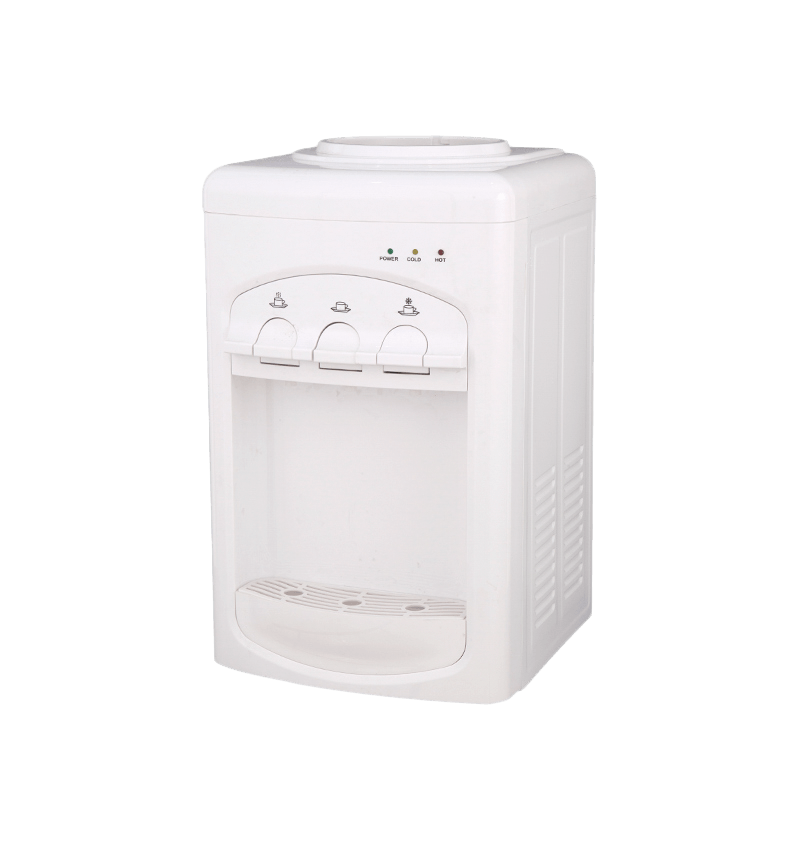
Desktop water dispensers provide instant access to clean and temperature-controlled water, making them a practical solution for homes and offices. Their compact design saves space while ensuring that hydration is always within reach, reducing the need for large, bulky water coolers.
Modern desktop dispensers can provide hot, cold, and room-temperature water, allowing users to enjoy beverages or instant meals without additional appliances. Many models are also energy-efficient, using less power than full-size water dispensers.
Design Features of Desktop Water Dispensers
These dispensers are designed for ease of use and portability. Key design features include:
- Compact size that fits on desks, countertops, or small shelves.
- Integrated heating and cooling systems for instant water temperature adjustment.
- Removable drip trays for easy cleaning and maintenance.
- Safety features such as child-lock buttons and auto-shutoff mechanisms.
- Energy-saving modes to reduce electricity consumption when idle.
These features make desktop dispensers versatile for both home and office environments, where space and efficiency are priorities.
Installation and Maintenance Tips
Desktop water dispensers are designed for simple setup. Most models only require:
- Placing the dispenser on a flat, stable surface.
- Connecting it to a standard water bottle or filtered water source.
- Plugging into a power source for models with heating or cooling features.
Regular maintenance is critical for hygiene and longevity:
- Cleaning the water reservoir and drip tray weekly.
- Descaling heating elements every 2–3 months if using hard water.
- Replacing water filters according to the manufacturer’s guidelines.
Energy Efficiency and Cost Considerations
Desktop water dispensers consume less energy than traditional floor-standing models. Many feature automatic shutoff or standby modes to reduce electricity use when not actively dispensing water.
A comparison of energy use highlights potential savings:
| Dispenser Type | Average Power Consumption (kWh/Month) | Cost Estimate ($/Month) |
|---|---|---|
| Floor-standing Dispenser | 45 | 6.75 |
| Desktop Dispenser | 25 | 3.75 |
Types of Desktop Water Dispensers
Desktop water dispensers can be categorized based on heating and cooling functions:
- Cold-only dispensers: Provide chilled water, ideal for hot climates and offices.
- Hot and cold dispensers: Offer versatility for tea, coffee, and instant meals.
- Room-temperature dispensers: Focus on energy efficiency, providing water without heating or cooling.
- Filter-equipped dispensers: Integrate purification systems for cleaner water directly from tap sources.
Health and Safety Considerations
Desktop water dispensers provide a hygienic way to access drinking water, but proper use is essential. Key safety tips include:
- Use clean, sealed water bottles or properly filtered tap water.
- Avoid touching the spout to prevent contamination.
- Regularly clean and disinfect the internal reservoir and drip tray.
- Monitor hot water outputs to prevent accidental burns, especially in offices with children.
Advantages for Modern Workspaces and Homes
Desktop water dispensers enhance hydration habits and convenience in various environments:
- Space-saving: Fits small areas without occupying floor space.
- Energy-efficient: Consumes less power while providing instant access to water.
- Improved hygiene: Reduces reliance on communal water sources or cups.
- Convenience: Immediate access to hot, cold, or filtered water for beverages and meals.
By combining compact design, energy efficiency, and safety features, desktop dispensers have become a staple in modern homes and office setups.